Why we built Tasirio

In the past few years, companies rushed to adopt AI tools like OpenAI, Microsoft Copilot, Claude, Gemini, and many others to drive productivity and innovation.

In doing so, they gave these tools access to their data—documents, emails, chats, calendars, code, knowledge bases, customer information, and critical systems—often without fully understanding the permissions, the exposure, or the risk.

AI moves fast. It learns, connects, and interacts across your environment in ways that traditional security tools weren't designed to see.

Companies rightly ask what AI can do for them—how it makes them faster and transforms the way they work. Tasirio answers the other half of the question: what can that AI reach, and can you prove you're in control?

Most organizations still can't answer the questions that matter:

What can our AI actually access?

Who owns the risk?

Is it governed?

Can we prove it?

We built Tasirio to bring trust to AI.

Tasirio was built to keep an eye on your AI.

Tasirio was built for you to have trust in your AI.

Our principles

The principles behind everything we build.

Purpose-built for AI

Designed from the ground up for AI governance—not adapted from legacy security tools.

Accountability First

Every AI system should have a clear owner, measurable risk, and documented accountability.

Evidence Over Assumptions

Governance should be based on continuous verification, not spreadsheets and checklists.

Read-Only Connectors, by Design

Tasirio observes your environment without modifying the systems it governs, except that where a ticketing system you connect is also one it governs (ServiceNow and Zendesk can be both), it opens tickets there, sets their status and adds comments; and where your own cloud vault sits in a cloud account it governs, it writes your connector credentials and a test secret into that vault and can ask the vault to delete them. Beyond reading, it writes only where you asked it to: your connector credential into a key vault (ours, or your own cloud vault), and, where you switch them on, tickets in a ticketing system you connect, findings to a SIEM or SOAR endpoint you connect, and alerts to a webhook or Slack you add. When you point Tasirio at your own cloud vault, it writes a test secret named tasirio-access-probe there to prove it can reach the vault, reads it back, then asks your vault to delete it; if the delete fails, cannot be asked, or the check stops before it, the test secret stays in your vault. Software you run yourself is also an exception, in four places. On a Windows DNS server, the installer of the Shadow-AI DNS collector turns on DNS debug logging if it is off, keeps your previous settings and puts them back when you uninstall; run it with -NoAutoEnableDnsLog and it leaves your DNS settings alone. And the setup scripts we give you for Microsoft 365, Microsoft Fabric, Azure and Business Central make the changes in your Microsoft tenant or Azure subscription that each one describes: they add Tasirio's application there (for Business Central, an app registration with a client secret) and grant it the consent, roles or group membership it needs to read; the Microsoft 365 re-enable script also switches Tasirio's application back on. Grant-TasirioDhcpRead.ps1, which you run on a separate DHCP server only if you want the Shadow-AI DNS collector to name devices from it, adds the collector server's computer account to that server's DHCP Users group (read-only access to DHCP); -Remove takes it out. Last, the Microsoft 365 fix script, Remove-TasirioSharingLinks.ps1, which you download beside a work list of findings, removes the SharePoint and OneDrive sharing links that list names, signed in as your own administrator, only when you run it with -Apply; without -Apply it changes nothing and reports what it would remove. Tasirio never runs it.

Works With Your Stack

We complement the platforms you already trust—we don't replace them.

Leadership

The team behind Tasirio.

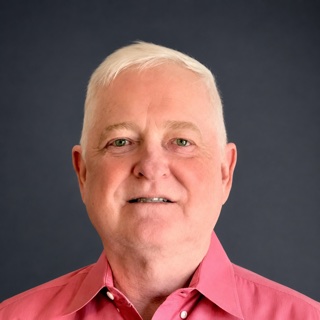
Eric Small, Founder, President & CEO of Tasirio

Eric Small

Founder, President & CEO

  • 40+ YearsBuilding enterprise software
  • 5 Startups · 6 C-Level RolesFounder, CTO, and executive
  • 19 Years in the VerticalMaterial-handling & medical-device clients
  • Built Tasirio End-to-EndArchitecture, engineering, and AI platform

With more than 40 years in software engineering and executive leadership, Eric Small has founded five startups and served in six C-level technology roles. Self-taught and a builder to the core, he still designs and writes software himself — he built Tasirio from concept to production.

His career spans the three domains Tasirio sits between. In enterprise networking and identity, he developed SilverNet, a top-five commercial network operating system, and created the LANTastic Universal Client — the layer that let LANTastic interoperate with Microsoft and Unix networks. Resolving how access works across systems that model permissions differently is the same problem Tasirio now solves for AI.

In industry, he spent nearly two decades running his own software consultancy for material-handling and medical-device companies — the vertical Tasirio serves today, with the relationships and vocabulary that come from being in it rather than studying it.

In modern cloud and AI, he built Tasirio end-to-end on Azure and Azure OpenAI, taking it from first commit to a live, multi-tenant production platform in about two months, with a connector engine proven against real vendor systems.

Before Tasirio, Eric was CTO of Avirnex, CTO and partner at DigGenius, and Senior Director of Engineering at Performance Contracting Group, a billion-dollar construction firm. He combines decades of enterprise software depth with current, hands-on AI engineering to help organizations see, govern, and prove what their AI can reach.